
Who will stick up for PowerPoint? It’s always been the subject of low-level
grumblings, and Lance Knobel points
out that the World Economic Forum, in Davos (usually), has long had a "deep-rooted
aversion" to allowing it into presentations. But ever since Edward Tufte
came out with his 24-page
jeremiad on the subject of slideware generally and PowerPoint specifically,
it’s got even worse press than usual.
The New York Times chimes
in today, with an article centered on Tufte’s criticism of the use of PowerPoint
within NASA. Tufte points to a PowerPoint presentation which was given to senior
managers while the Columbia was still orbiting, on the subject of whether or
not the famous piece of foam had caused serious damage.
Among other problems, Mr. Tufte said, a crucial piece of information —
that the chunk of foam was hundreds of times larger than anything that had
ever been tested — was relegated to the last point on the
slide, squeezed into insignificance on a frame that suggested damage to
the wing was minor.
The independent board that investigated the Columbia disaster devoted an entire
page of its final report last month to Mr. Tufte’s analysis. The board wrote
that "it is easy to understand how a senior manager might read this PowerPoint
slide and not realize that it addresses a life-threatening situation."
In fact, the board said: "During its investigation, the board was surprised
to receive similar presentation slides from NASA officials in place of technical
reports. The board views the endemic use of PowerPoint briefing slides instead
of technical papers as an illustration of the problematic methods of technical
communication at NASA."
In a recent issue of Wired Magazine, Tufte recapitulated his message in a short
article, but the editors had a harder time finding anybody who would stand
up for the accursed software. They ended up alighting on David Byrne, who’s
been playing around with PowerPoint for a while now, and who has just released
a book and DVD called Envisioning
Emotional Epistemological Information. The title, of course, is direct nod
of the head to Tufte, whose second book is entitled simply Envisioning
Information. Byrne’s
Wired article is whimsical, showing a few slides from PowerPoint presentations
he’s put together, with sardonic commentary on each:

I began this project making fun of the iconography of PowerPoint, which wasn’t
hard to do, but soon realized that the pieces were taking on lives of their
own. This whirlwind of arrows, pointing everywhere and nowhere -each one color-coded
to represent God knows what aspects of growth, market share, or regional trends
-ends up capturing the excitement and pleasant confusion of the marketplace,
the everyday street, personal relationships, and the simultaneity of multitasking.
Does it really do all that? If you imagine you are inside there it does.
Wired magazine, which is now part of the Condé Nast empire, went crazy
over Byrne’s PowerPoint pieces. They put up huge flat-screen multimedia presentations
in the lobby of their magnificent office building in Times Square, and then
sponsored a talk between Byrne and Lawrence Weschler at the 92nd Street Y. (They
also had a dinner at Lever House and a big after-party in Byrne’s honour, but
I wasn’t invited to those.)
The effect of all this attention was to make Byrne’s work seem very important
– a groundbreaking new direction in visual art, perhaps, or maybe even
an effective counterpoint to Tufte’s grumblings. The headline on the article,
after all, is "Learning to Love PowerPoint".
But at the 92nd Street Y, it rapidly became apparent that Byrne basically agrees
wholeheartedly with everything Tufte is saying. He started off with a series
of PowerPoint slides designed expressly to make us laugh at the medium and its
limitations, and then went on to explain how it was those very limitations which
attracted him to PowerPoint as an artform.
At the unveiling of the pieces in the Condé Nast building, he said,
one of the building’s tech-support types went up to him and asked why he hadn’t
created his pieces in Flash rather than PowerPoint, since using Flash would
have been so much easier. The answer, Byrne said, was precisely that using PowerPoint
was hard and that the software was decidedly buggy: when you run a series of
slides together with music in a slideshow, as Byrne does, you can’t be entirely
sure how the slides are going to morph into each other, or exactly at what point
in the show the music is going to kick in. There’s an element of chance there:
the same presentation, run on a slightly different computer, can create a significantly
different result.
I can see the attraction of that kind of thing to an artist, and in fact the
best bits of Byrne’s slide presentations are precisely the bits where PowerPoint
proves buggiest: the jerky dissolves from one frame into another, say, or the
bizarre points at which the presentation freezes for no obvious reason. But
even Byrne admits that the whole thing is a bit of a con, really: the main reason
that some people find the presentations artistically interesting is that moving
images combined with music are nearly always compelling enough to hold attention.
That’s why music videos are so successful. We can’t watch one on mute for very
long, and much of the music might not be to our taste, but put the two together,
and we’ll happily watch.
Byrne once described his music as a way of forcing people to listen to his
lyrics, and in these works he’s doing much the same thing. He uses a Ligeti
piece, say, as a way of keeping attention while putting together an allusive
series of slides on the subject of phrenology.
In the real world, of course, almost no one uses music in their PowerPoint
presentations, and the only sound in the room is usually the presenter droning
on monotonously, laboriously reading out every last word on every last slide.
And as the NASA investigative board – as well as the journalists covering
the story – found out, a lot of the time PowerPoint presentations are
simply printed out or emailed in lieu of distributing a conventionally-written
report.
Every few months I give out various awards in my guise as the Latin America
correspondent for Euromoney, and I get dozens of submissions from banks who
think they deserve a gong or two. If I didn’t put my foot down on a regular
basis, nearly all of these submissions would be in PowerPoint form: 3MB or 4MB
files which, if they don’t crash my computer completely, certainly slow it down
and make reading the submission a painfully laborious process.
Banks like sending PowerPoint submissions because they can insert all manner
of pretty corporate logos and country maps, but a lot of what they’re doing
is simply inertia: "submission" is more or less synonymous with "PowerPoint
presentation" these days.
Of course, there should be a world of difference: PowerPoint was never designed
to convey information on its own. The most interesting part of Byrne’s appearance
at the 92nd Street Y, for instance, was not his PowerPoint pieces, but rather
the presentation which he put together expressly for the talk. He had a series
of slides, some interesting, some funny, but he made sure that they complemented
what he was saying, rather than reflecting it. He understands that PowerPoint
is a tool which can be used as part of a presentation and that it is emphatically
not the same as the presentation itself. In fact, I would go as far as to say
that a good PowerPoint presentation (and such things do exist) should be pretty
much incomprehensible to anybody seeing only the slides and not listening to
what the presenter is saying. (Of course, there are always exceptions.)
The best example of a great PowerPoint presentation that I can find on the
web is this one by Lawrence
Lessig, which can also be reached from this
page if you’re having any difficulties with audio or video. But Lessig is
not the only high-profile master of the medium: Steve Jobs has long been legendary
for his Stevenotes, one of which is online here.
What Lessig and Jobs have in common is that they talk with conviction and enthusiasm
for their subject, and give carefully-written speeches which are more or less
free-standing. Have a look at Lessig’s lectures:
they read like speeches, and are clearly written in a very different manner
to his academic papers.
Those speeches are then enhanced with PowerPoint’s visuals, which can be used
to drive home a message even as Lessig himself is saying something a bit more
subtle.
Unfortunately, the tens of millions of people with PowerPoint generally aren’t
good speechwriters, and invariably don’t have any speechwriters available to
construct their presentations for them. So they resort to PowerPoint’s helpful
content wizard. There’s a whole default presentation called "Communicating
Bad News", for instance, which includes slides like this.
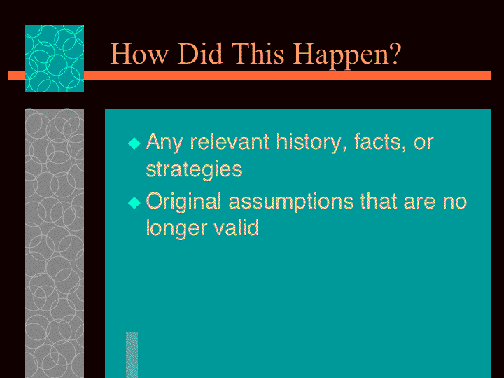
Never mind the fact that the graphics are appalling, this kind of hand-holding
is almost guaranteed to end up producing presentations of astonishing superficiality,
with, as Tufte would put it, "a rate of information transfer asymptotically
approaching zero".
No content wizard is ever going to be able to make people sit down and work
out an interesting and compelling way of communicating information, and no gussied-up
graphics are going to turn a bad presentation into a good one. (That’s why Keynote,
Apple’s competition to PowerPoint, is not going to do much good for anyone.)
And yet PowerPoint can still, very occasionally, be a powerful tool for enhanced
communication. I’d just make a few (bullet) points, with a tip of the hat to
- A series of slides will never turn a bad speech into a good one. So start
with the speech, and then use the slides to illustrate it, rather than the
other way around.
- If you’re reading your slides, they have too much information on them.
- Graphs and tables are perfect material for slides. Just remember what you
learned in The Visual
Display of Quantitative Information, and avoid Excel or PowerPoint defaults.
- It is not necessary for every slide to be self-explanatory, but, on the
other hand, you do not need to go out of your way to explain every slide.
The slides and the speech are parallel and complementary information streams:
use each to convey the information it’s best suited for.
Finally, and most importantly,
- Write out your speech in advance, and think about how it
will be received: place yourself in the position of a listener. Jokes are
always good, and remember that now you have the extra option of throwing in
visual jokes as well as verbal ones. Enjoy yourself, and the chances are that
your audience will enjoy themselves too.
Surely writing out your speech in advance is the worst possible advice (except, like, bring your monkey with you)? I always find that, even when they aren’t reading directly, people who’ve worked out their phrasing beforehand always sound a lot more stilted than people who’ve just done an outline.
Ned has a good point. But in my defense, there’s a difference between writing your speech and reading your speech. Some people are good at reading things out loud; many people are bad at it, and rapidly fall into a sleep-inducing monotone. If you’re in the latter camp, don’t read your speech — but do still write it out in advance, because otherwise you’re going to end up taking your cues from your slides, rather than the other way around. I think the point I was trying to make is that PowerPoint presentations only really work when you’re not speaking to the slide.
If powerpoint is so bad, why is it so successful? Surely its not just because it allows pent up corporate workers a bit of a creative outlet in the cubicles? Tufte actually answers it, powerpoint is very effective at helping people organize and structure their talks/presentations. So perhaps the right approach it to write the speech using powerpoint and then throw away the slides?
Btw I’ve seen Lessig talk using powerpoint. Its odd, but he’s a great speaker so he carries it. He does not control the slides, it runs like a movie, and he does his best to stay synced, strange experience, but it works most of the time. I doubt a less talented speaker could be anywhere near as effective though…
only bad craftsman blames his tools.
if you recognize that you are not a craftsman, then let’s hope you have the sense to realize that you wouldn’t want to be trusting any standard issue microsoft product to be useful at communicating information.
remember these are the people who brought you:
“Error: Keyboard not found. Press F1 to continue.”
This article was hilarious! hahaha.
Not only did it have some fairly informative bits, but it was the funniest thing I have read in a while! 🙂
Thanks for sharing.
DuN D3vianT